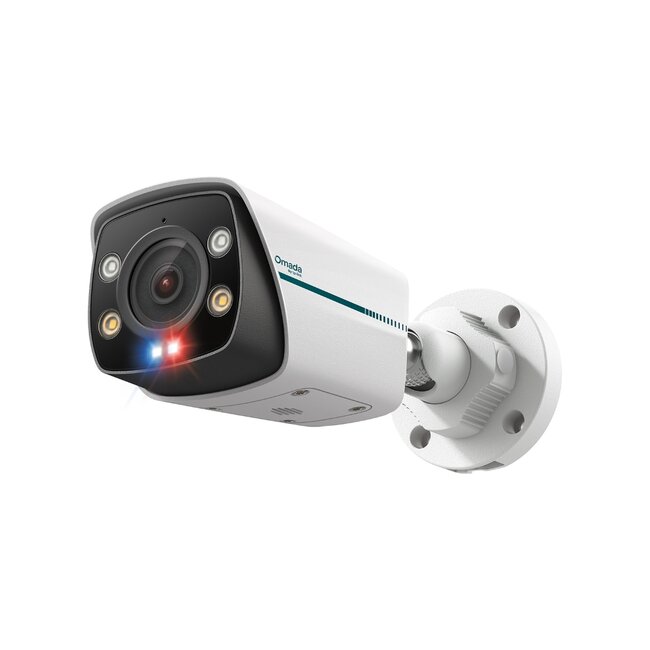
TP-Link Omada 12MP Outdoor Bullet | 4 mm Fixed Lens | PoE | Active Deterrence | Two-Way Audio | IP67 and IK10
Product Overview
The TP-Link Omada 12MP Bullet is designed for wired surveillance where extra image detail matters, such as a warehouse entrance, vehicle approach or commercial perimeter. It records at up to 4512 × 2512 with a fixed 4 mm lens, giving you more pixels to work with when reviewing a correctly framed scene.
The camera combines smart infrared and colour night viewing with red and blue warning lights, a siren and two-way audio. For sites that also need recording at the camera, it supports an optional microSD card up to 512 GB.
Key Capabilities
12MP maximum resolution
Use the higher resolution where added scene detail justifies the extra recording bandwidth and storage. Confirm the recorder can ingest the full resolution before sizing a system around it.
Fixed 4 mm lens
Position the camera around the approach or area of interest. Check how much of the frame the subject occupies at the required distance.
Smart IR and colour night vision
Select the lighting mode for the site. Test reflections from walls, signs and parked vehicles after dark.
Warning lights and siren
Use these deterrence features where the site benefits from a visible or audible response. Set the event zones to avoid nuisance triggers.
Two-way audio and microSD support
Communicate through supported interfaces and add a compatible microSD card if camera-side storage is needed.
All-metal IP67 and IK10 housing
The housing suits exposed installation and provides rated impact resistance. Protect the cable termination from weather.
Installation and Compatibility
Allow up to 12.9 W per camera on an 802.3af/at PoE connection. Check the switch’s total power budget, the recorder’s supported resolution and the recording bandwidth across all connected cameras.
Treat the scene and the recorder as part of the same design. A large overview image is useful for understanding what happened across a yard, while an entrance may benefit more from a closer camera with controlled lighting. If the camera must cover both areas, confirm that the subject remains large enough in the frame at the farthest point where the recording needs to show meaningful detail.
Check recording on the intended recorder before committing to a multi-camera layout. Confirm the main stream records at the expected resolution and that playback is practical when several cameras are active. If using microSD as a secondary record, test how clips are retrieved and what the camera actually records under the configured rules. Size retention for the real event rate rather than assuming a particular number of days.
Choosing the Right Model
Choose this 12MP camera where the required detail justifies the recording capacity, or where onboard storage and built-in deterrence are useful. Check the image at your actual mounting distance. If a wide view leaves the subject small in the frame, adjust the camera position or coverage before relying on the extra resolution.
Set up warning lights and audio around the site’s operating hours and the areas that genuinely need a response. Walk through the detection area during commissioning and review the resulting recording, alert and deterrence behaviour together. Check nearby windows and neighbouring properties when setting light direction. Use a playback test to assess detail on moving subjects in both daytime and night conditions.
Additional Information
Download the official OMADA-12MP-BULLET datasheet (PDF)