Product SKU: Ruijie Reyee RG-NBS3100-24GT4SFP-P-V2
Product Overview
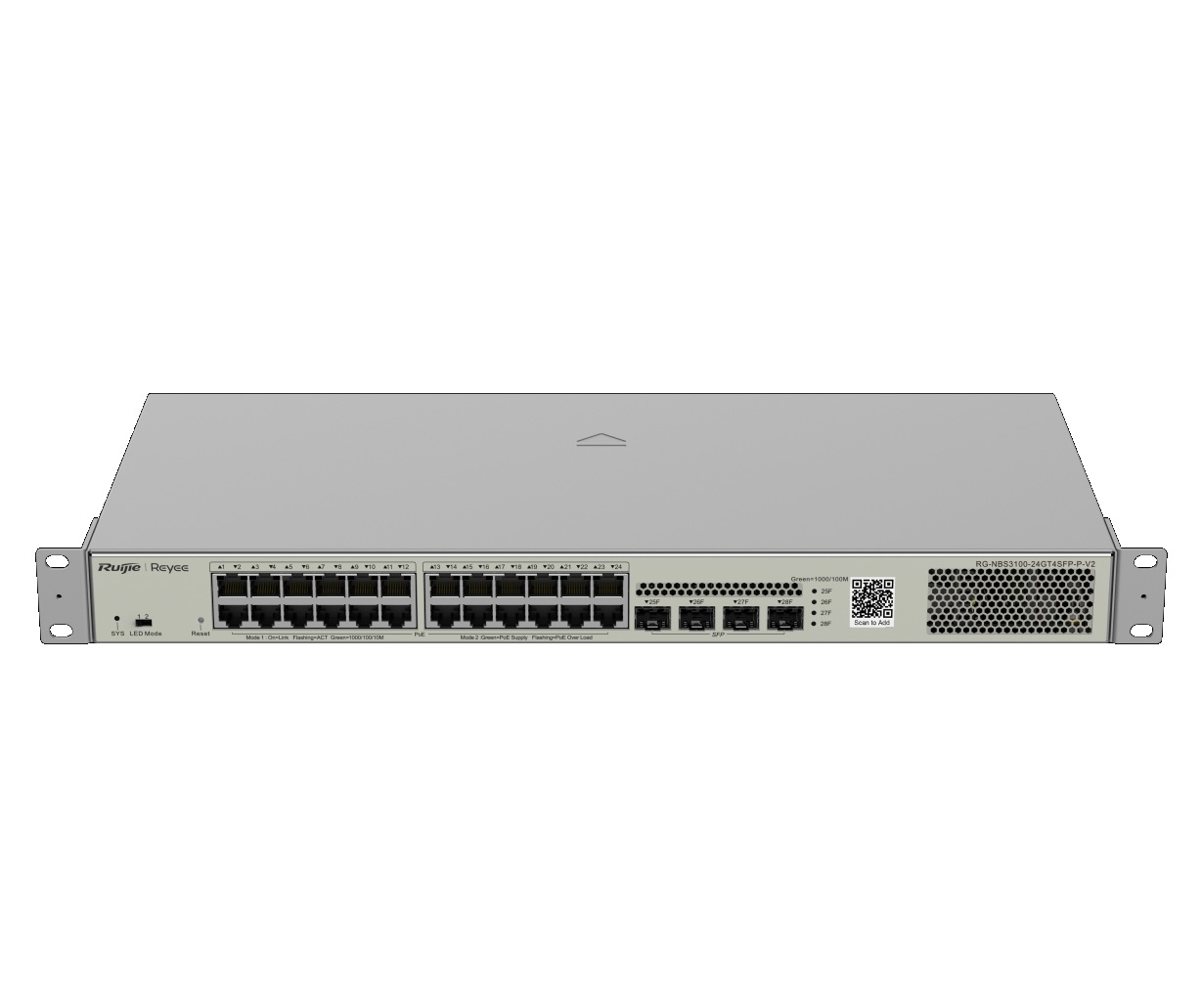
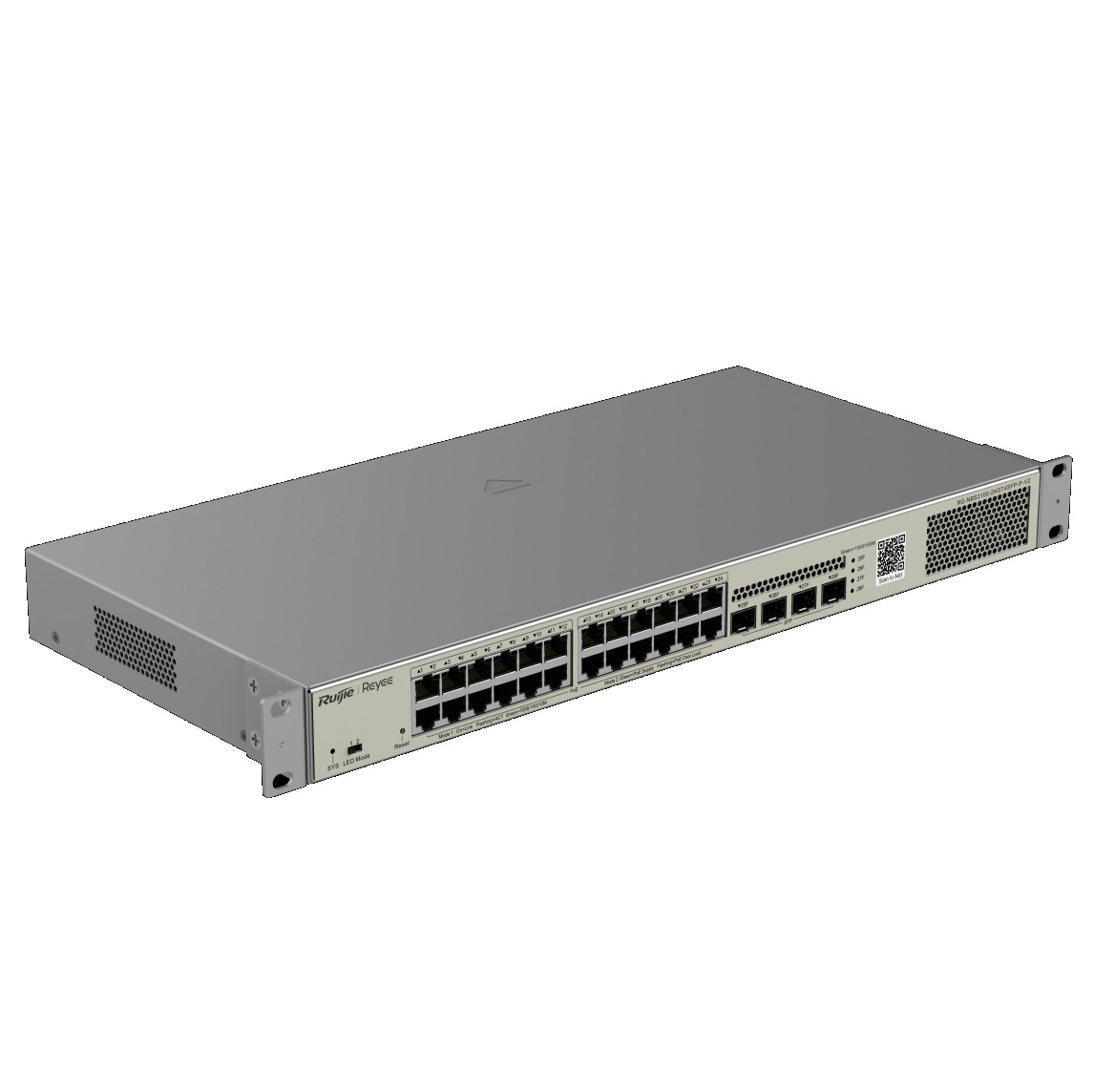
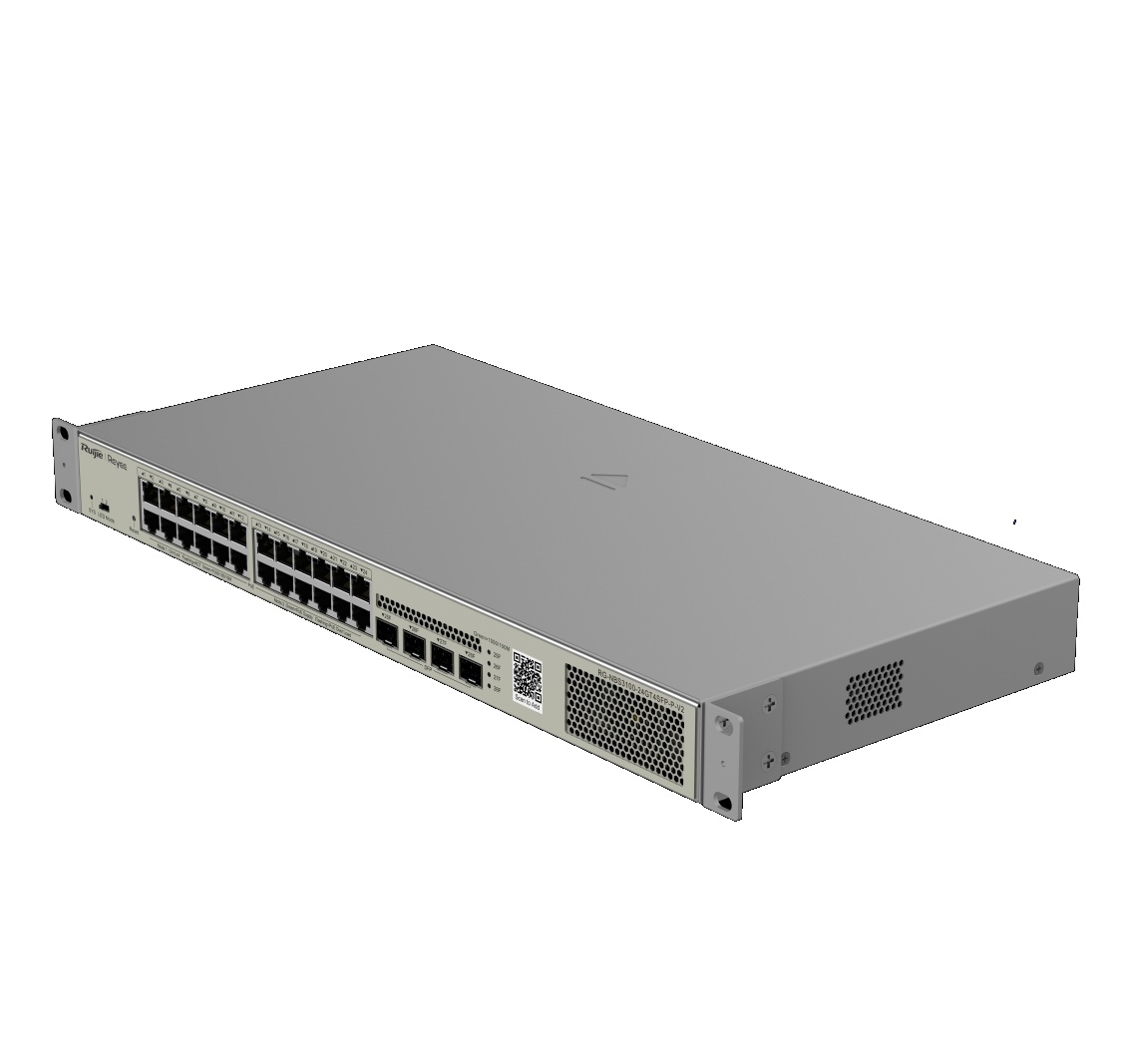
The Ruijie Reyee RG-NBS3100-24GT4SFP-P-V2 28-Port Gigabit Layer 2 Cloud Managed PoE Switch is designed for CCTV, business, office, retail, education and commercial network deployments requiring managed Gigabit switching, high PoE capacity and flexible fibre uplinks. It features 24 PoE+ ports, 4 SFP uplinks and a 370W PoE budget, making it suitable for compatible IP cameras, wireless access points, intercoms, VoIP phones and other PoE-powered network devices. The Layer 2 cloud managed design provides more control, visibility and administration than unmanaged switch models. This model is best selected where a larger managed PoE switch is required for multi-device networks with strong PoE output and SFP uplink flexibility.
Key Capabilities
28-Port Gigabit Design
The RG-NBS3100-24GT4SFP-P-V2 provides 28 total ports for larger CCTV, office, retail and business network deployments requiring Gigabit connectivity.
24 PoE+ Ports
Twenty-four PoE+ ports allow compatible powered devices to receive power and data through the same Ethernet cable.
370W PoE Budget
The 370W PoE budget supports larger deployments with compatible IP cameras, wireless access points, intercoms, VoIP phones and other powered devices.
4 SFP Uplinks
Four SFP uplinks provide fibre uplink flexibility for compatible transceiver modules, network cabinets, core switches or backbone connections.
Layer 2 Cloud Management
Layer 2 cloud managed operation provides practical network visibility and control for supported deployments, helping administrators manage larger networks more effectively.
Best For
- Large CCTV Systems: Suitable for powering and connecting multiple compatible IP cameras from one managed PoE switch.
- Business and Office Networks: Practical for commercial networks requiring PoE, Gigabit switching, cloud management and uplink flexibility.
- PoE Access Point Deployments: Useful for powering compatible wireless access points across offices, schools, retail sites and business premises.
- Fibre Uplink Networks: A good option where SFP uplinks are needed for backbone connections between cabinets, floors or network areas.
- Managed PoE Installations: Best where administrators need more control, monitoring and Layer 2 functionality than unmanaged PoE switches provide.
Why Choose the RG-NBS3100-24GT4SFP-P-V2
The RG-NBS3100-24GT4SFP-P-V2 is a strong choice when a business or security network needs many PoE ports, a high PoE power budget, Layer 2 management and flexible SFP uplinks in one switch. Its 24 PoE+ ports and 370W PoE budget make it suitable for powering multiple compatible cameras, access points, intercoms and phones, while the 4 SFP uplinks support more flexible network backbone designs. Cloud management helps provide easier visibility and administration for larger deployments. For systems supplied through Security Wholesalers, this switch should be selected after confirming device count, PoE wattage, VLAN or Layer 2 requirements, uplink design, SFP module compatibility, bandwidth needs and management workflow.
Buyer Decision Tips
Buyer Tip: Choose the RG-NBS3100-24GT4SFP-P-V2 when you need a 28-port Gigabit Layer 2 cloud managed PoE switch with 24 PoE+ ports, 4 SFP uplinks and a 370W PoE budget.
Installation Tip: Confirm total PoE power demand, connected device count, VLAN or Layer 2 requirements, SFP module compatibility, uplink layout, cable distance and cloud management setup before deployment.
Key Features & Technical Specifications
| Model | RG-NBS3100-24GT4SFP-P-V2 |
| Brand | Ruijie Reyee |
| Product Type | Gigabit Layer 2 cloud managed PoE switch |
| Switch Series | Reyee Layer 2 managed switch |
| Port Count | 28 ports |
| Port Speed | Gigabit Ethernet |
| PoE Ports | 24 × PoE+ ports |
| SFP Uplinks | 4 × SFP uplinks |
| PoE Budget | 370W |
| Management | Layer 2 cloud managed |
| Primary Use | Managed Gigabit PoE network expansion for compatible powered devices, CCTV systems and business networks |
| Typical Applications | IP cameras, wireless access points, intercoms, VoIP phones, offices, retail stores, education sites, warehouses, commercial security systems, fibre uplinks and PoE device groups |
| Installation Type | Network cabinet, rack, shelf or business network area installation with suitable power, cabling and uplink planning |
| Best Use | Large CCTV networks, business PoE deployments, Layer 2 managed switching, fibre uplinks and cloud-managed network administration |
| Deployment Consideration | Confirm device count, PoE budget, individual device wattage, cable length, Layer 2 requirements, SFP module compatibility, uplink bandwidth and cloud management requirements before installation |
Ideal Use Cases
Large CCTV Networks
Use the switch to power and connect multiple compatible PoE cameras from one managed network switch.
Business Wireless Deployments
Suitable for powering compatible access points across offices, schools, retail areas and commercial buildings.
Fibre Uplink Backbones
Practical for connecting to another switch, network cabinet or backbone using compatible SFP modules.
Retail and Warehouse Security
A good option for camera, intercom, access point and phone deployments across retail or warehouse environments.
Managed Commercial Networks
Useful where administrators need Layer 2 cloud managed visibility and control across many connected PoE devices.
Choosing the Right Model
- Choose this model if: You need a Ruijie Reyee 28-port Gigabit Layer 2 cloud managed PoE switch with 24 PoE+ ports, 4 SFP uplinks and a 370W PoE budget.
- Choose a different switch if: The site needs 10GE uplinks, 2.5G access ports, a smaller unmanaged switch, more PoE ports, a lower-cost desktop model or a different enterprise switching feature set.
- Check before ordering: Confirm camera count, access point count, device wattage, total PoE budget, cable distance, SFP module type, uplink speed, VLAN requirements, rack or cabinet space and cloud management setup.
FAQs
- What is the Ruijie Reyee RG-NBS3100-24GT4SFP-P-V2 used for?
The RG-NBS3100-24GT4SFP-P-V2 is used as a Gigabit Layer 2 cloud managed PoE switch for CCTV, business, retail, office, warehouse and commercial network deployments. It is suitable for compatible IP cameras, access points, intercoms, VoIP phones and other PoE-powered devices. - How many PoE ports does this switch have?
This model provides 24 PoE+ ports for compatible powered devices. Before installation, confirm the total number of cameras, access points, intercoms or phones required and whether the available ports allow enough future capacity. - What is the PoE budget?
The RG-NBS3100-24GT4SFP-P-V2 has a 370W PoE budget. The total power draw of connected PoE devices should be calculated carefully to ensure the switch can support the full installation with suitable headroom. - What are the 4 SFP uplinks used for?
The SFP uplinks can be used with compatible SFP modules for fibre uplink connectivity to another switch, network cabinet, backbone or distribution layer. They are useful where longer-distance or fibre-based network links are required. - What does Layer 2 cloud managed mean?
Layer 2 cloud managed means the switch supports managed network features and cloud-based visibility for supported deployments. This gives administrators more control and monitoring capability than an unmanaged switch. - Can this switch power IP cameras?
Yes, it can power compatible PoE cameras through its PoE+ ports, provided the total camera power draw remains within the 370W PoE budget. For systems supplied through Security Wholesalers, camera wattage, cable quality, uplink design and management requirements should be checked before installation. - When should I choose a managed switch instead of an unmanaged PoE switch?
Choose a managed switch when the network requires VLANs, monitoring, cloud visibility, traffic control, more structured network administration or clearer separation between camera, data, voice and wireless networks. - What should be checked before installation?
Before installation, confirm device count, individual PoE wattage, total PoE budget, cable distance, cable quality, uplink requirements, SFP module compatibility, VLAN or Layer 2 needs, power outlet availability, rack or cabinet space and cloud management setup.
Additional Information