,

AXIS C8310 Volume Controller with Touch Control, Audio Source Selection & I/O Trigger

$301.00
FREE DELIVERYWARRANTY GUARANTEED
✔ Dedicated 5★ Customer Care Team   ✔ Fast & Responsive Tech Support

AXIS C8310 Volume Controller | 02741-001 | Touch Volume Control | Audio Source Selection | I/O Trigger | Tactile & Visual Feedback | Surface or Recessed Mounting

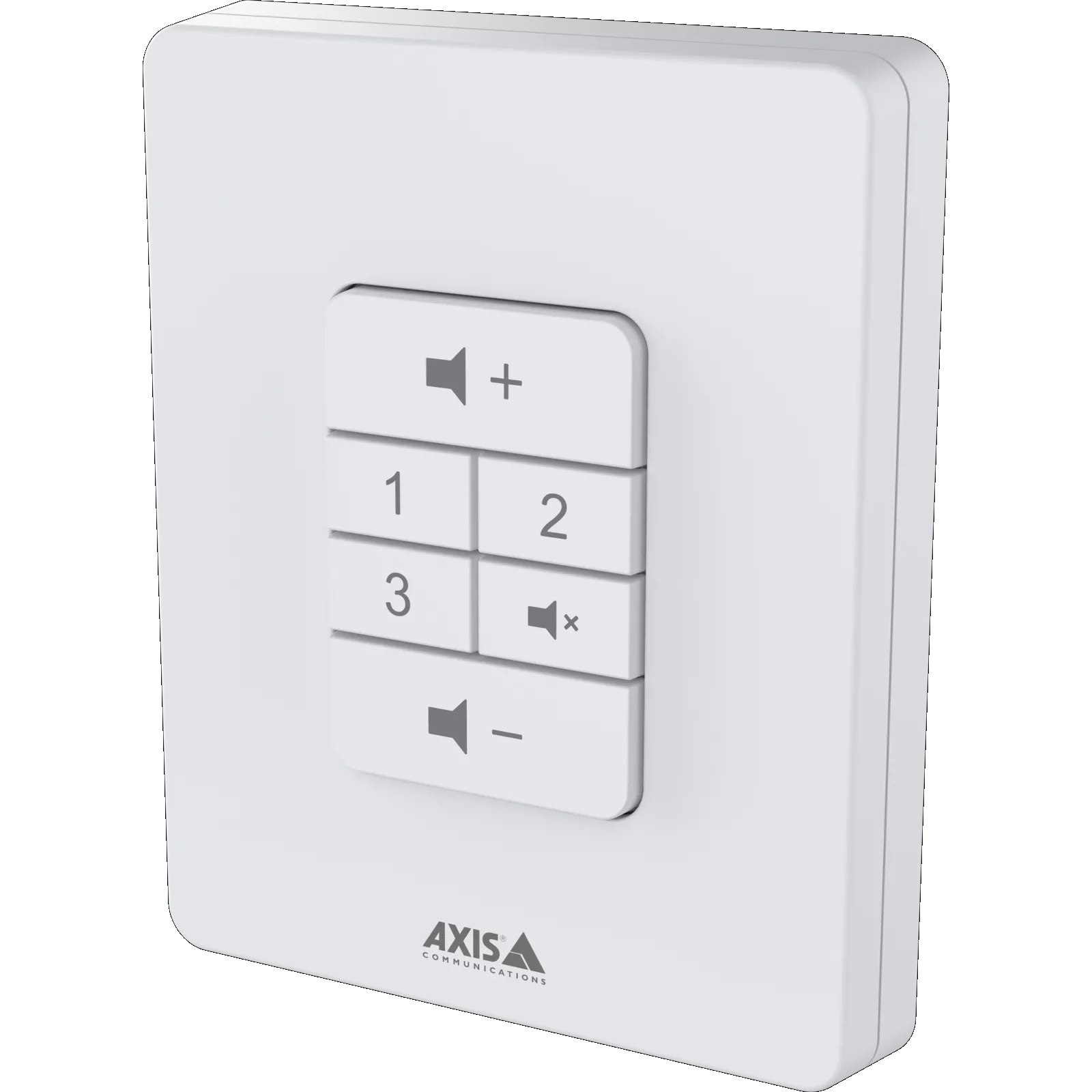
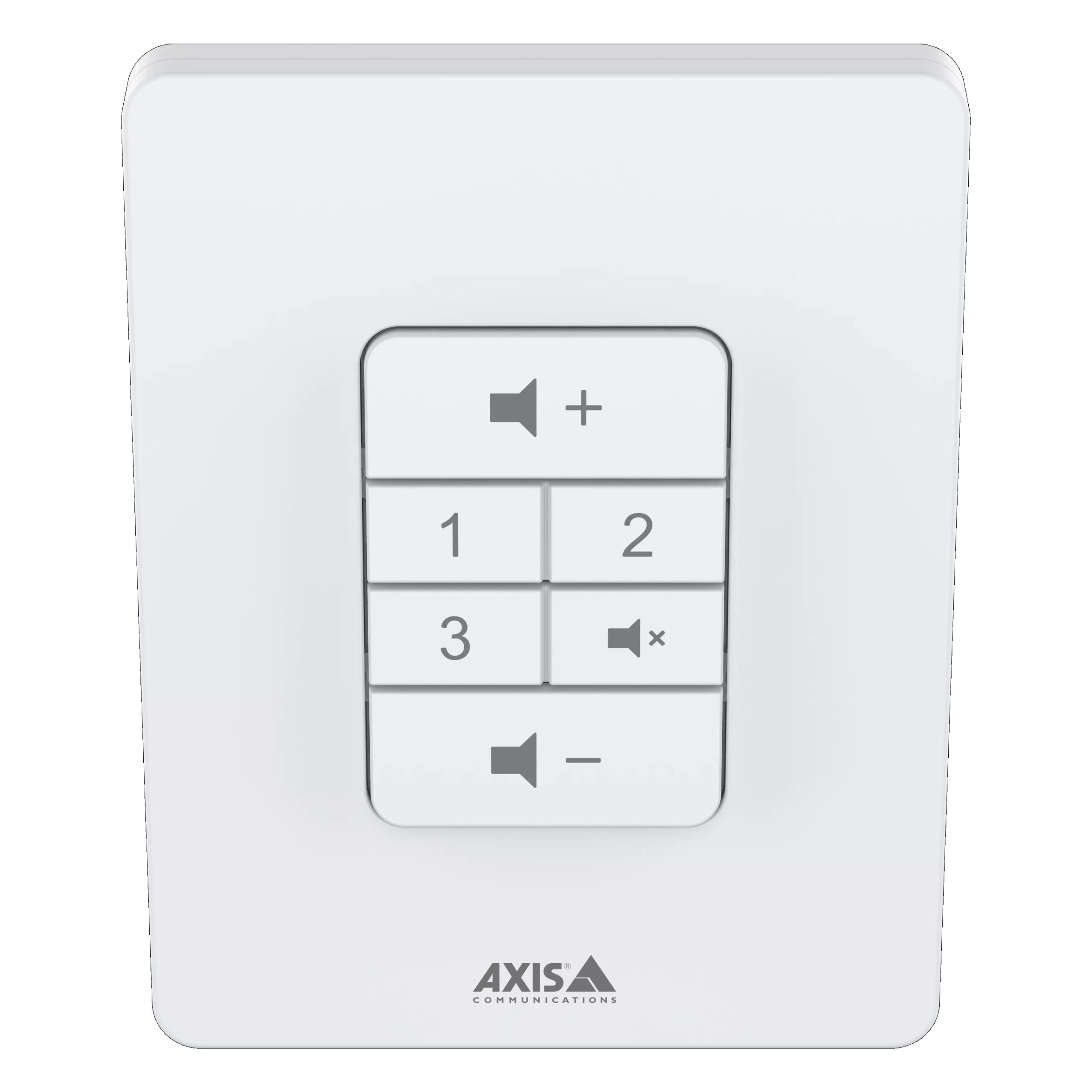
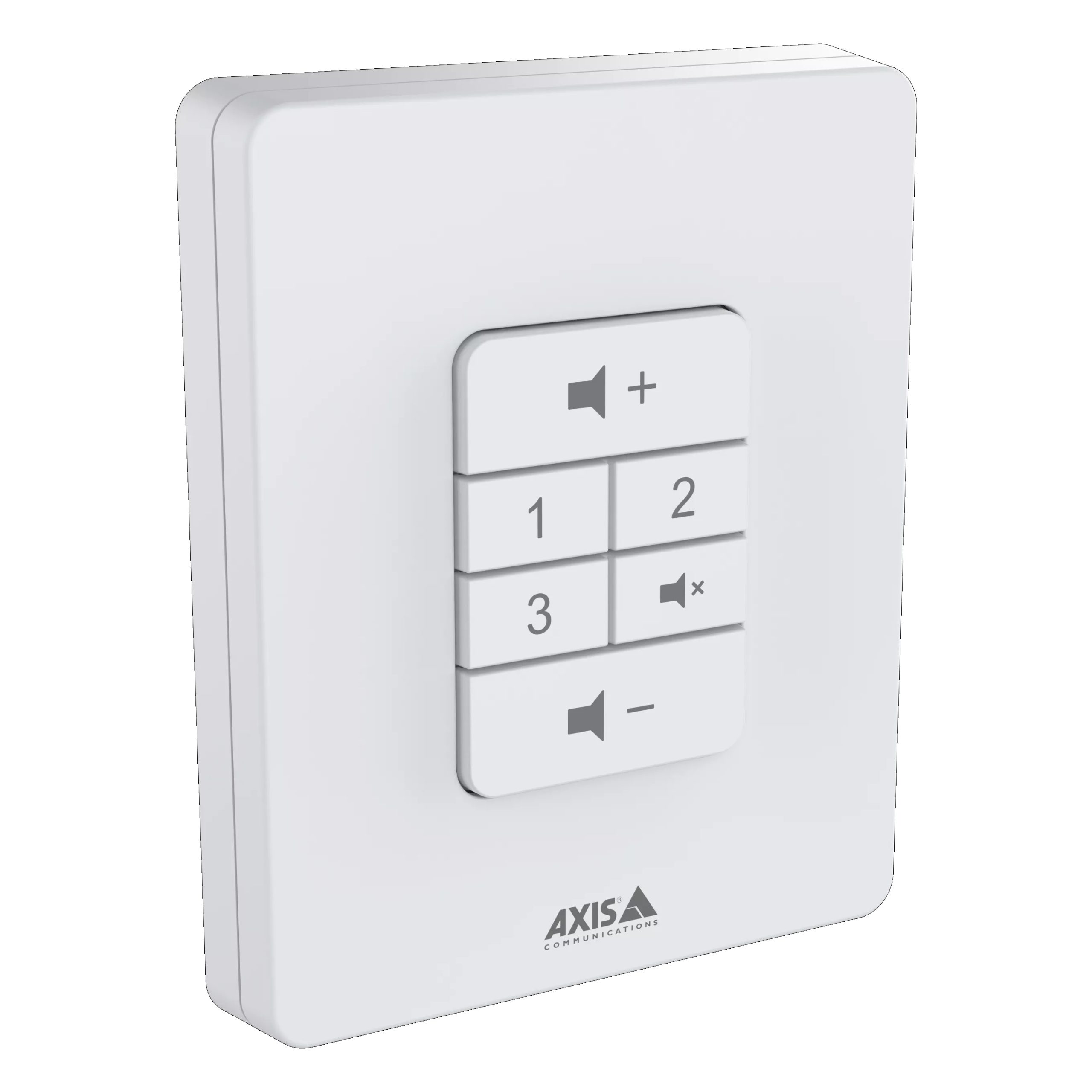
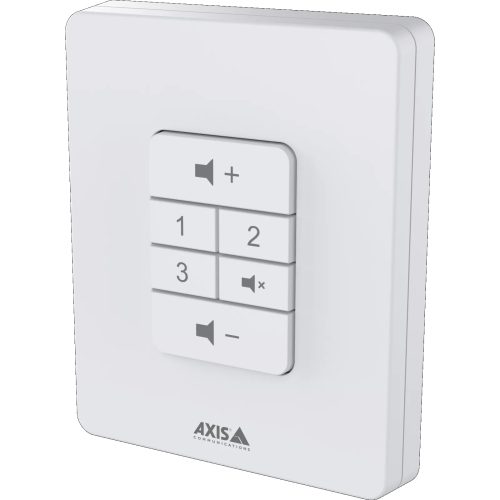
The AXIS C8310 Volume Controller delivers an easy-to-use wall-mounted control device designed for local audio adjustment in Axis network audio systems. Featuring touch control for volume up, volume down, and mute, plus three additional buttons for preconfigured audio sources or actions, it gives on-site staff simple control without requiring logins, software access, or administrator involvement.

It also supports I/O port connection to compatible Axis audio devices, tactile feedback, backlit status indication, and IoT action triggering, making it part of the Security Wholesalers range for smarter audio workflows. With centralised administrator control over maximum volume, source options, and device status, this controller suits retail stores, schools, warehouses, aged care common areas, offices, and public address zones where audio needs change throughout the day.

Key Features

  • Touch Volume Control: Allows local staff to adjust volume up, volume down, or mute supported audio zones.
  • Audio Source Selection: Three configurable buttons can select up to three preconfigured audio sources.
  • I/O Trigger Support: Can trigger actions such as prerecorded messages, alarms, or compatible IoT workflows.
  • Tactile & Visual Feedback: Key press feedback and backlighting help confirm active source and mute status.
  • Central Oversight: Authorised users can configure maximum volume, permitted sources, actions, and device status remotely.
  • Flexible Mounting: Supplied with a frame for surface wall mounting and supports recessed mounting for clean installation.
Network Audio Control Icon
Remote Audio Management Icon


Additional Information

$301.00 inc GST +3 Year Warranty & Support

Product SKU: AXIS C8310

Product Overview

The AXIS C8310 Volume Controller is an easy-to-use network audio control panel designed to give local staff quick access to volume adjustment, mute control and audio source selection within Axis audio zones. It features touch-style tactile buttons for volume up, volume down, mute and three preconfigured audio sources, with backlit visual feedback showing selected source and mute status. Connected through the I/O port of a compatible Axis network audio product, the AXIS C8310 is ideal for schools, retail stores, cafés, hospitality venues, offices, warehouses, public facilities and commercial spaces where staff need simple local audio control without logging into software.

Why Choose the AXIS C8310 Volume Controller

The AXIS C8310 is ideal for organisations that need convenient local control over an Axis audio zone. It allows authorised on-site staff to adjust volume, mute audio and switch between up to three preconfigured sources without needing access to AXIS Audio Manager software. This is useful in areas where noise levels, occupancy or audio needs change throughout the day, such as retail stores, classrooms, cafés, waiting rooms and public areas. Tactile feedback confirms button presses, while backlit buttons make source and mute status easy to see. Because volume range and source availability are controlled in AXIS Audio Manager Edge, the system remains manageable while still giving staff practical local control.

Key Capabilities

Local Volume Adjustment
The AXIS C8310 allows staff to raise, lower or mute the volume in an assigned audio zone directly from the wall controller. This is useful where ambient noise changes during the day or where local teams need quick control without accessing audio management software.

Three Audio Source Buttons
Three numbered source buttons allow users to switch between preconfigured audio sources such as background music, TV audio, laptop audio or scheduled content. The allowed sources are managed through AXIS Audio Manager Edge, helping maintain system control while allowing simple local selection.

Tactile and Visual Feedback
Tactile button feedback confirms a key press, while backlit indicators show the selected audio source and active mute status. This makes the controller easy to use in daily operations and helps staff confirm settings at a glance without needing a separate display or software interface.

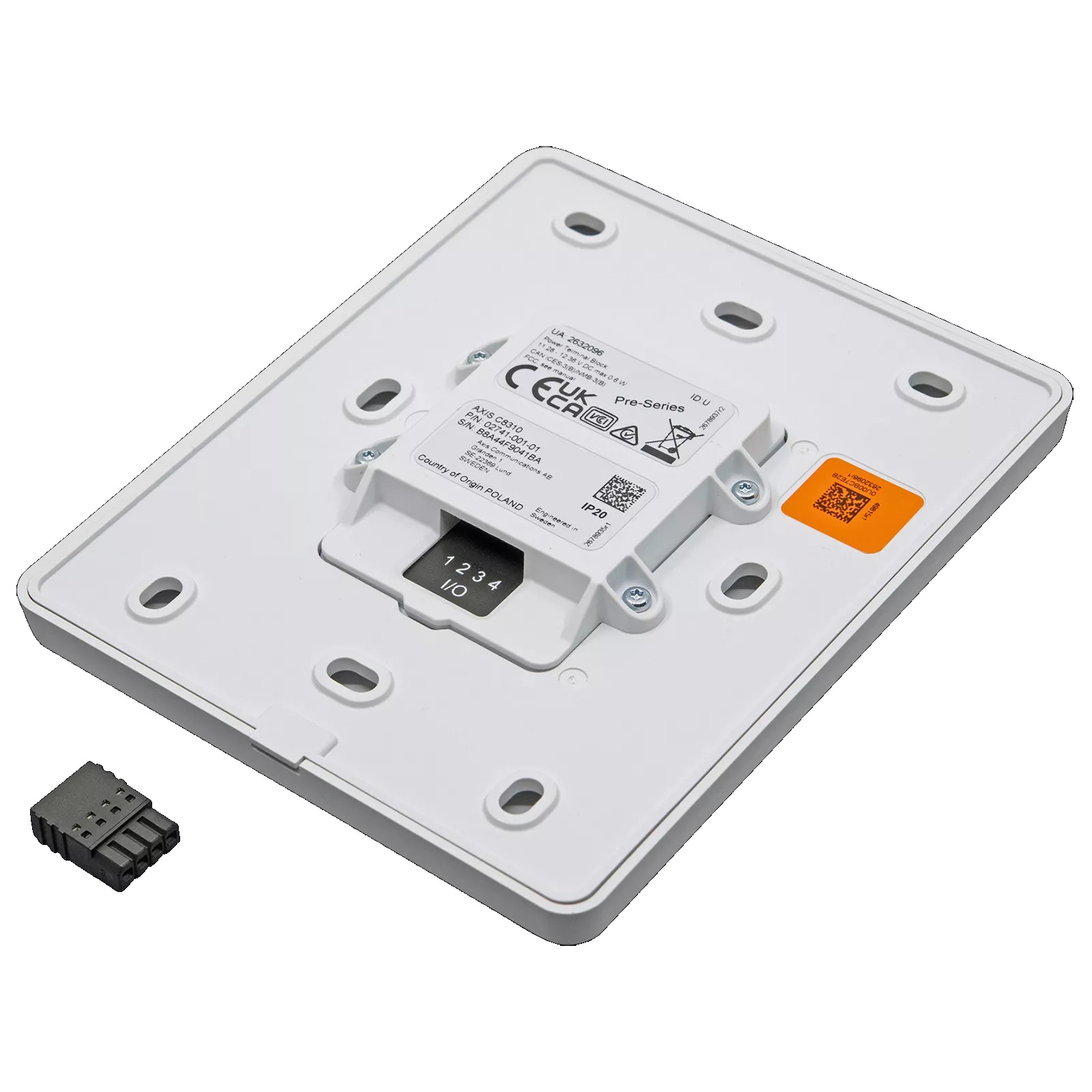
I/O Port Connection
The controller connects to a compatible Axis network audio product through an I/O connector. This makes it a practical accessory for Axis network speakers, network audio amplifiers and audio bridges where local wall control is needed for a specific audio zone.

Wall or Recessed Mounting
The AXIS C8310 supports wall-mounted installation or recessed installation in a gangbox or compatible I/O connection box. This allows installers to create a neat, professional control point in classrooms, retail counters, reception areas, staff zones and public audio spaces.


Key Features

  • Easy Network Volume Control: The AXIS C8310 gives local staff a simple way to adjust volume in an assigned Axis audio zone. This removes the need to log into software for everyday adjustments and helps match audio levels to occupancy, background noise or operational requirements.

  • Mute Button: A dedicated mute button allows users to quickly silence the assigned audio zone when required. This is useful for meetings, announcements, quiet periods, customer conversations, classroom activities or temporary situations where background audio needs to be paused immediately.

  • Three Preconfigured Source Buttons: The controller includes three source selection buttons for switching between approved audio sources. This makes it practical for spaces that move between background music, announcement feeds, TV sound, laptop content or other preconfigured audio sources during the day.

  • Backlit Visual Status: Backlit buttons provide visual confirmation of the selected source and mute status. This helps users understand the current audio state at a glance and reduces confusion when multiple staff members use the same local controller across different shifts.

  • Tactile Selection Feedback: Tactile feedback confirms when a button has been pressed, making the controller easier to operate confidently. This is valuable in busy environments where staff may need to make quick adjustments without focusing on a software interface.

  • AXIS Audio Manager Edge Control: The controller is assigned to music zones in AXIS Audio Manager Edge, where allowed sources and volume range are defined. This gives administrators central control while still allowing local users to make approved day-to-day adjustments.

  • Compatible with Axis Network Audio Products: The unit can connect to compatible Axis network audio products with an I/O connector and firmware 11.6 or later. This makes it suitable for selected Axis network speakers, audio bridges and network audio amplifiers within the Axis audio ecosystem.

  • I/O Port Connection: The AXIS C8310 connects using a 4-pin terminal block to the host Axis network audio device. Power is supplied from the connected device, helping keep the controller simple and avoiding the need for a separate power supply at the wall control point.

  • Flexible Mounting Options: The controller can be wall mounted or recessed into a single gangbox or I/O connection box, depending on the installation requirement. This allows a clean finish in commercial, education, hospitality and public-space environments.

  • Practical for Local Staff Control: By offering straightforward local control without software access, the AXIS C8310 helps everyday users manage audio safely and consistently. This is especially useful where staff need limited control while administrators maintain full system settings centrally.


Specifications Summary

Feature Specification
Model AXIS C8310 Volume Controller
Part Number 02741-001
Product Type Network Audio Volume and Source Controller
Primary Function Local control of volume, mute and preconfigured audio source selection
Audio Sources Three preconfigured audio source buttons
Volume Control Volume up and volume down buttons
Mute Control Dedicated mute button
Button Feedback Tactile feedback for key press confirmation
Visual Feedback Backlit buttons and LED indicators for button press, selected source and mute status
Audio Management Assigned to music zones in AXIS Audio Manager Edge
Administrator Control Allowed sources and volume range controlled by AXIS Audio Manager Edge
Supported Devices Axis network audio products with I/O connector and firmware 11.6 or later
Connection I/O port connection to compatible Axis network audio device
Connector 4-pin 2.5mm terminal block connected to network audio device
Power Supplied from connected Axis device, 12 V DC, max 0.6W
Casing White plastic, NCS S 1002-B
IP Rating IP42
Mounting Options Wall-mounted or recessed-mounted in single gangbox or I/O connection box
Operating Temperature 0°C to 50°C
Operating Humidity 10–85% RH
Storage Temperature -40°C to 65°C
Dimensions 114 × 15 × 93mm
Weight 71g without frame; 86g with frame
Included Accessories Installation guide
Typical Applications Local audio zone control, background music source selection, mute control, volume adjustment and staff-operated audio management
Warranty 5-year warranty


Ideal Use Cases

  • Retail Stores – Suitable for adjusting background music levels, muting audio during customer conversations and switching between approved sources without requiring staff to access the audio management software.
  • Schools and Classrooms – Useful for local control of classroom or zone audio, allowing staff to adjust volume, mute sound or select a configured source during lessons, announcements or activities.
  • Cafés and Hospitality Venues – Practical for adjusting background music as occupancy and ambient noise change throughout the day, while keeping source options controlled by the system administrator.
  • Offices and Meeting Areas – Ideal for staff zones, reception spaces, shared areas and meeting rooms where local users need simple audio control for music, announcements or presentation audio.
  • Warehouses and Public Facilities – Suitable for localised audio zone control where supervisors or staff need quick adjustment of speaker volume, mute status or selected content source in a defined area.


Understanding Local Audio Zone Control

The AXIS C8310 is used when staff need simple local control over an Axis audio zone without being given access to the full audio management system. Administrators define the allowed sources and volume range in AXIS Audio Manager Edge, then users can adjust volume, mute audio or select from the available source buttons at the wall controller. This creates a balance between central system control and practical everyday operation for local teams.

Control Function What It Provides Best For
Volume Up / Down Local adjustment of the assigned audio zone volume Retail stores, classrooms, hospitality areas, offices and public spaces with changing noise levels
Mute Quickly silences the assigned audio zone Meetings, customer conversations, temporary quiet periods, classroom activities and announcements
Source Selection 1–3 Switches between three administrator-approved audio sources Background music, TV audio, laptop audio, scheduled content and approved local source options
AXIS Audio Manager Edge Settings Controls allowed sources and volume range centrally Administrators who want local staff control without giving full software access

Tip:
Use the AXIS C8310 where staff need a simple wall-mounted way to manage volume, mute and audio source selection in a defined Axis audio zone. Confirm the host Axis audio device has a compatible I/O connector and firmware 11.6 or later before installation.

FAQs

  1. What is the AXIS C8310 Volume Controller used for?
    The AXIS C8310 is used to provide local control over an assigned Axis audio zone. It allows users to adjust volume, mute audio and select between three preconfigured audio sources without logging into AXIS Audio Manager software or asking an administrator to make everyday changes.
  2. How many audio sources can the AXIS C8310 select?
    The AXIS C8310 includes three preconfigured audio source buttons. The available sources are configured and controlled through AXIS Audio Manager Edge, allowing administrators to decide what users can select while still giving local staff convenient control from the wall controller.
  3. Does the AXIS C8310 provide visual feedback?
    Yes, the AXIS C8310 includes backlit buttons and LED indicators that show button presses, selected audio source and mute status. This helps users quickly understand the current audio setting and confirm changes without needing to check a computer or management interface.
  4. What devices can the AXIS C8310 connect to?
    The AXIS C8310 can connect to Axis network audio products that have an I/O connector and firmware 11.6 or later. This includes selected Axis network speakers, audio bridges and audio amplifiers, depending on the exact model and system configuration.
  5. Does the AXIS C8310 need a separate power supply?
    No, the AXIS C8310 is powered by the Axis network audio device it is connected to. Power is supplied through the I/O connection at 12 V DC with a maximum power draw of 0.6W, helping simplify installation and reduce additional cabling.
  6. Can the AXIS C8310 be wall mounted?
    Yes, the AXIS C8310 supports wall-mounted installation and can also be recessed-mounted in a single gangbox or I/O connection box. This allows installers to create a neat and accessible local audio control point in commercial, education, retail and hospitality environments.


Additional Information

Datasheet-axis-c8310-volume-controller

SKU: C8310 Categories: ,

We make product support and ordering easy! Reach out to our help team :)
Trade Customers: Log In or Register to Unlock Even Better Prices.

Save & Share Cart
Your Shopping Cart will be saved and you'll be given a link. You, or anyone with the link, can use it to retrieve your Cart at any time.
Back Save & Share Cart
Your Shopping Cart will be saved with Product pictures and information, and Cart Totals. Then send it to yourself, or a friend, with a link to retrieve it at any time.
Your cart email sent successfully :)

AXIS C8310 Volume Controller with Touch Control, Audio Source Selection & I/O Trigger
$301.00 inc GST +3 Year Warranty & Support