Product SKU: AXIS W700
Product Overview
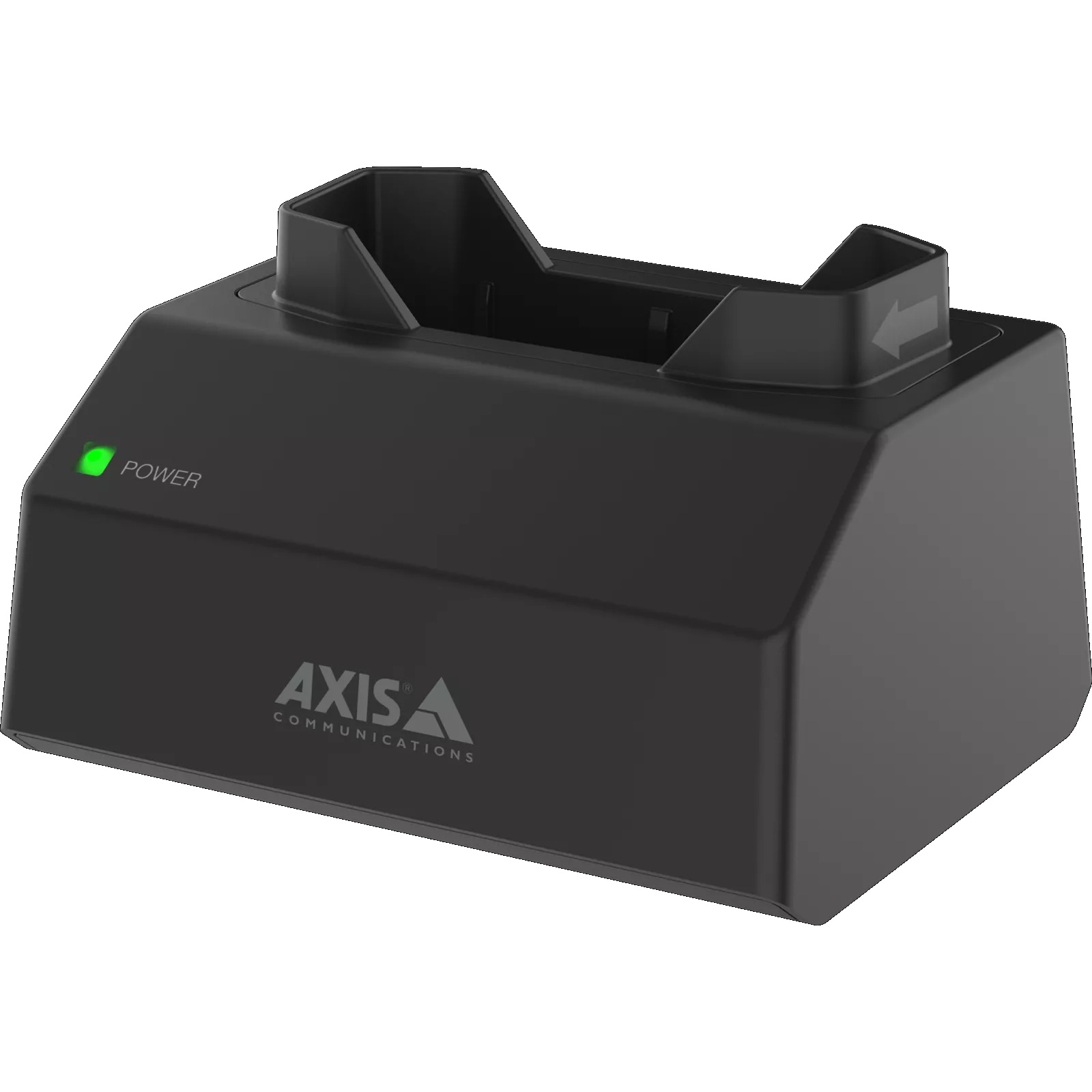
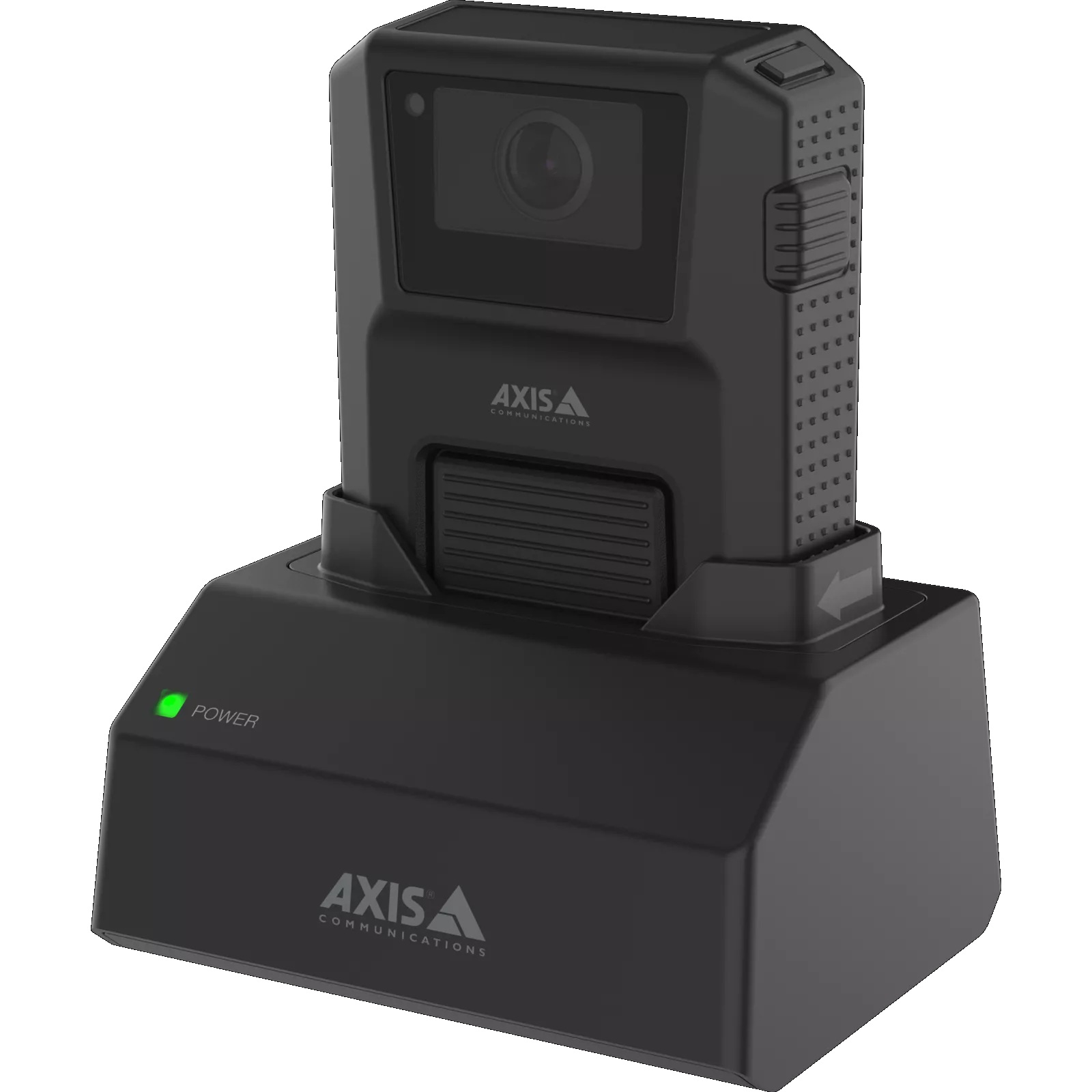
The AXIS W700 Mk II Docking Station 1-bay is a sturdy standalone docking station designed for fast charging and secure offloading of compatible Axis body worn cameras. It allows users to dock a camera at the end of a shift so recordings can be securely transferred and the camera can recharge for the next use. Compatible with the separate AXIS W800 System Controller, this 1-bay docking station is ideal for smaller body worn deployments, individual users, vehicle stations, reception desks, supervisor areas, security offices, retail sites, healthcare environments, transport teams and organisations that need a simple grab-and-go camera workflow.
Why Choose the AXIS W700 Mk II Docking Station 1-bay
The AXIS W700 Mk II Docking Station 1-bay is ideal for organisations that need a compact and convenient charging and offloading point for a single Axis body worn camera. It supports fast, easy camera handling, helping ensure the camera is ready for the next shift with minimal manual intervention. Its splash-proof and sturdy design means it does not need to be hidden away in a climate-controlled room, so it can be placed where staff actually need it. When used with the AXIS W800 System Controller, it supports secure evidence workflows, automatic offload and reliable day-to-day camera readiness.
Key Capabilities
Single-Camera Docking Workflow
The AXIS W700 Mk II provides a dedicated docking point for one compatible Axis body worn camera. This makes it practical for individual camera users, small teams, supervisors, mobile workers, vehicle-based staff and locations where only one camera needs regular charging and secure offload.
Fast Charging for Grab-and-Go Use
The docking station recharges compatible Axis body worn cameras quickly so they are ready for the next shift or assignment. This helps reduce downtime and supports operational workflows where cameras must be easy to collect, use, return and prepare again for the next user.
Secure Evidence Offloading
When a camera is docked, recordings can be securely offloaded as part of the Axis body worn system workflow. This helps reduce manual file handling, supports evidence integrity and makes it easier for organisations to maintain consistent end-of-shift procedures.
Compatible with AXIS W800 System Controller
The docking station is designed to work with the separate AXIS W800 System Controller. This allows the body worn system to manage cameras, users, recordings and offload workflows in a structured way, supporting scalable and secure body worn deployments.
Sturdy Splash-Proof Design
The AXIS W700 Mk II is sturdy and splash-proof, making it suitable for practical placement in everyday working environments. It can be kept where staff need quick access, rather than requiring a specialised climate-controlled equipment room.
Key Features
-
1-Bay Body Worn Docking: The AXIS W700 Mk II Docking Station 1-bay provides a dedicated charging and offloading position for one compatible Axis body worn camera. This is ideal for single-camera users, smaller sites, supervisor kits, vehicles, security desks or locations where compact deployment is preferred.
-
Fast Charging: The docking station helps recharge compatible Axis body worn cameras quickly so they are ready for the next shift. This supports efficient grab-and-go workflows, reducing the chance that a camera is unavailable when staff need it for patrols, response or evidence capture.
-
Secure Offloading: Docking a camera allows recorded footage to be securely offloaded through the Axis body worn system workflow. This helps reduce manual handling, protect evidence integrity and support consistent processes for security teams, frontline staff and organisations managing body worn video.
-
Reliable Docking Connectors: The docking station is designed with reliable docking connectors to support day-to-day camera charging and data transfer. This is important for body worn deployments where cameras may be docked and removed frequently across shifts, users and operational routines.
-
Splash-Proof Construction: The sturdy splash-proof design helps make the docking station suitable for practical working environments. It can be positioned where staff can conveniently return and collect cameras, rather than needing to be stored only in a specialised equipment room.
-
Works with AXIS W800 System Controller: The AXIS W700 Mk II is compatible with the separate AXIS W800 System Controller, which supports structured management of body worn cameras and recordings. This helps create a secure, scalable and manageable body worn evidence workflow.
-
Compatible Axis Body Worn Cameras: The docking station is compatible with current Axis body worn cameras including AXIS W102 and AXIS W120, as well as discontinued AXIS W100 and AXIS W101 models. This makes it useful for both new systems and selected existing Axis body worn deployments.
-
Convenient Placement: Because the AXIS W700 Mk II is a standalone 1-bay docking station, it can be placed at a counter, desk, equipment area, vehicle station or staff room where the camera is easiest to return and retrieve during normal operations.
-
Included Mains Cable: Axis lists the AXIS TU6011 Mains Cable as included with this product, helping provide the required power connection for the docking station. This supports straightforward installation and commissioning within the wider Axis body worn system.
-
Ideal for Small Deployments: The 1-bay format is especially useful where a full multi-bay docking station is not required. It suits individual staff members, managers, single-camera workflows, spare camera stations and small teams that still need secure offload and reliable charging.
Specifications Summary
| Feature | Specification |
|---|---|
| Model | AXIS W700 Mk II Docking Station 1-bay |
| Part Number – AU | 02969-006 |
| Product Type | 1-Bay Docking Station for Axis Body Worn Cameras |
| Primary Function | Fast charging and secure offloading for compatible Axis body worn cameras |
| Docking Bays | 1 bay |
| Charging | Fast charging supported |
| Data Offload | Secure offloading supported through Axis body worn system workflow |
| System Controller Compatibility | Compatible with separate AXIS W800 System Controller |
| Docking Connector Design | Reliable docking connectors |
| Environmental Design | Sturdy and splash-proof standalone docking station |
| Compatible Current Body Worn Cameras | AXIS W102 Body Worn Camera and AXIS W120 Body Worn Camera |
| Compatible Discontinued Body Worn Cameras | AXIS W100 Body Worn Camera and AXIS W101 Body Worn Camera |
| Included Cable | AXIS TU6011 Mains Cable listed as included with this product |
| Installation Style | Standalone docking station for convenient camera return and retrieval |
| Best System Type | Single-camera workflows, small body worn deployments, supervisor stations and distributed docking points |
| Typical Use | Charging, camera readiness, secure recording offload and grab-and-go body worn camera operation |
| Warranty | 3-year warranty |
Ideal Use Cases
- Single-Camera Body Worn Deployments – Suitable for organisations using one Axis body worn camera that needs a dedicated charging and secure offload point.
- Security Desks and Supervisor Stations – Useful for reception areas, control rooms, supervisor desks and security offices where a camera needs to be docked and ready for quick use.
- Retail and Healthcare Sites – Practical for stores, clinics, hospitals, aged care facilities and customer-facing workplaces using a small number of body worn cameras for staff safety and evidence capture.
- Transport and Field Teams – Suitable for mobile workers, inspectors, transport staff or vehicle-based teams needing a simple dock-and-go process for one camera.
- Distributed Docking Points – Ideal where an organisation wants multiple single-camera docking points placed across different departments, desks, workstations or operational areas.
Understanding Body Worn Docking and Offload
The AXIS W700 Mk II Docking Station 1-bay is used at the end of a shift or recording session to recharge a compatible Axis body worn camera and securely offload footage through the body worn system. This helps reduce manual evidence handling and ensures the camera is ready for the next user. When paired with the AXIS W800 System Controller, the docking station becomes part of a structured workflow for camera management, secure transfer, storage and daily camera readiness.
| Workflow Step | What It Provides | Best For |
|---|---|---|
| Dock Camera | Camera is placed into the 1-bay docking station after use | End-of-shift return, evidence transfer, charging and camera management routines |
| Secure Offload | Footage is transferred through the Axis body worn system workflow | Evidence integrity, reduced manual file handling and consistent offload procedures |
| Fast Charging | Camera recharges while docked | Keeping cameras ready for the next shift, patrol, response or assigned user |
| Grab-and-Go Readiness | Camera can be collected again once charged and prepared | Security teams, frontline staff, small deployments and distributed camera stations |
Tip:
Use the AXIS W700 Mk II Docking Station 1-bay when a site needs a convenient charging and secure offload point for one compatible Axis body worn camera. Confirm the required body worn camera model, AXIS W800 System Controller, evidence management workflow and docking location before deployment.
FAQs
- What is the AXIS W700 Mk II Docking Station 1-bay used for?
The AXIS W700 Mk II Docking Station 1-bay is used to charge and securely offload one compatible Axis body worn camera. It supports daily body worn workflows by allowing staff to return a camera at the end of a shift, transfer recordings securely and prepare the camera for the next use. - How many cameras does the AXIS W700 Mk II 1-bay support?
The AXIS W700 Mk II 1-bay supports one compatible Axis body worn camera at a time. It is suited to individual users, smaller deployments, supervisor stations, spare camera locations or distributed docking points where only one camera needs charging and offloading at that location. - Does the AXIS W700 Mk II Docking Station charge the camera?
Yes, the docking station supports fast charging for compatible Axis body worn cameras. This helps ensure the camera is ready for the next shift, patrol or assignment, reducing downtime and supporting a simple grab-and-go workflow for staff. - Does the AXIS W700 Mk II securely offload footage?
Yes, the docking station supports secure offloading of recordings as part of the Axis body worn system workflow. This helps reduce manual handling of video files, supports evidence integrity and makes end-of-shift camera return procedures more consistent. - Does the AXIS W700 Mk II require a system controller?
Yes, the AXIS W700 Mk II Docking Station 1-bay is designed to work with the separate AXIS W800 System Controller. The system controller supports management of the body worn system, including camera workflows, offloading and integration with the selected video or evidence management system. - Which cameras are compatible with the AXIS W700 Mk II Docking Station?
Axis lists compatibility with current models including AXIS W102 Body Worn Camera and AXIS W120 Body Worn Camera. It is also listed as compatible with discontinued AXIS W100 and AXIS W101 body worn cameras, making it suitable for selected new and existing Axis body worn systems.
Additional Information