
-
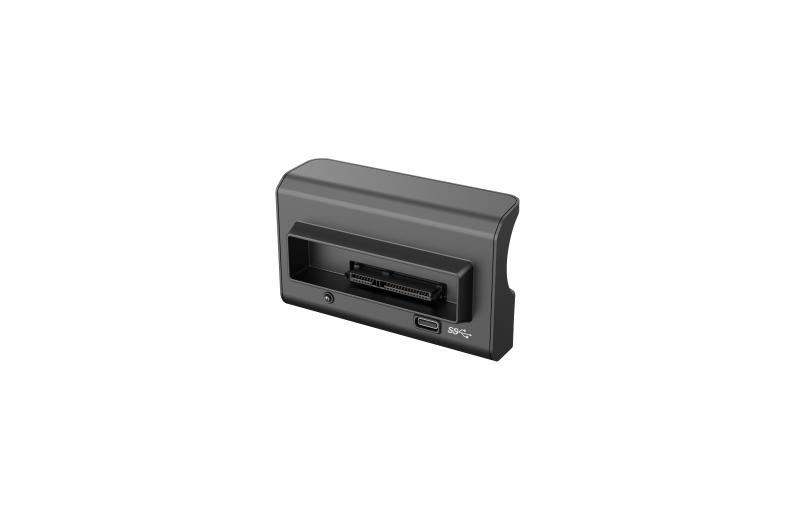
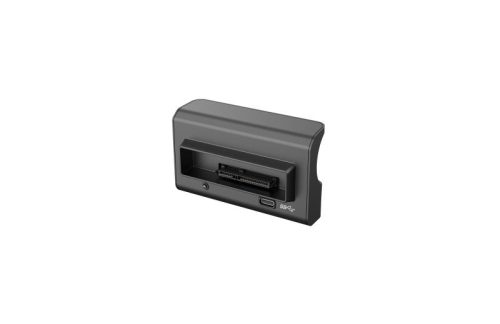
Designed for mobile DVR/NVR HDD data access
-
USB 3.0 interface for high-speed data transfer
-
Backward compatible with USB 2.0
-
Standard SATA interface for direct HDD connection
-
Plug-and-play operation — no drivers required
-
Status indicator LED for operation monitoring
-
Compact and rugged design suitable for field use
Typical Applications
-
On-site CCTV video extraction
-
HDD data backup and archiving
-
Maintenance and fault-finding for mobile DVR systems
-
Incident investigation and evidence retrieval
Technical Specifications
| Specification | Details |
|---|---|
| Interface to PC | USB 3.0 (Type-C), USB 2.0 compatible |
| Interface to HDD | Standard SATA |
| Interface to HDD Case | Hikvision HDD case connector |
| Power Supply | DC 5V (powered via USB) |
| Operating Temperature | –20 °C to +70 °C |
| Driver Requirement | None (plug-and-play) |
In the Box
-
Hikvision AE-MS8202 HDD Case Reader
-
USB 3.0 Type-C Cable
-
Quick Start Guide
Installer Notes
-
Ensure the HDD is securely seated before powering the reader
-
Use a USB 3.0 port on the PC for maximum transfer speeds
-
Intended for use with Hikvision HDD cases and standard SATA hard drives
-
Ideal companion tool for installers servicing mobile or vehicle-based CCTV systems
Use Case Scenarios
✔ Field video retrieval
✔ Post-incident footage export
✔ HDD testing and diagnostics
✔ Service and maintenance work
Frequently Asked Questions
Q: Does this require any software installation?
No. The AE-MS8202 operates as a plug-and-play device with no drivers required.
Q: Is it compatible with standard SATA hard drives?
Yes. It supports standard SATA HDDs commonly used in surveillance systems.
Q: Can it be used on laptops and desktop PCs?
Yes. It connects via USB and works with both laptops and desktops.